

If you’ve ever paused mid-sentence wondering whether to type “encode” or “incode,” you’re not alone. This mix-up shows up in emails, technical documentation, coding tutorials, and everyday writing more often than you’d think. The good news? The answer is simple, and by the end of this guide, you’ll never second-guess it again.
Let’s settle the confusion once and for all with real definitions, real examples, and a breakdown clear enough that even a beginner in computer science can follow along.
Quick Answer (No Confusion)
Encode is the correct word. It means to convert information text, audio, video, or data into a specific format or code so it can be stored, transmitted, or processed by a system.
Incode is not a standard English word. In almost every case, it’s simply a misspelling of “encode.” The only legitimate exception is in British postal terminology, where “incode” refers to the second half of a UK postcode, a completely unrelated, niche usage.
| Word | Correct? | Common Meaning |
| Encode | ✅ Yes | Convert data/information into a coded format |
| Incode | ❌ Mostly no | Misspelling of encode (except UK postcode term) |
If you’re writing about programming, data, communication, or technology, always choose to encode.
What Does Encode Mean? (Clear Definition + Core Idea)
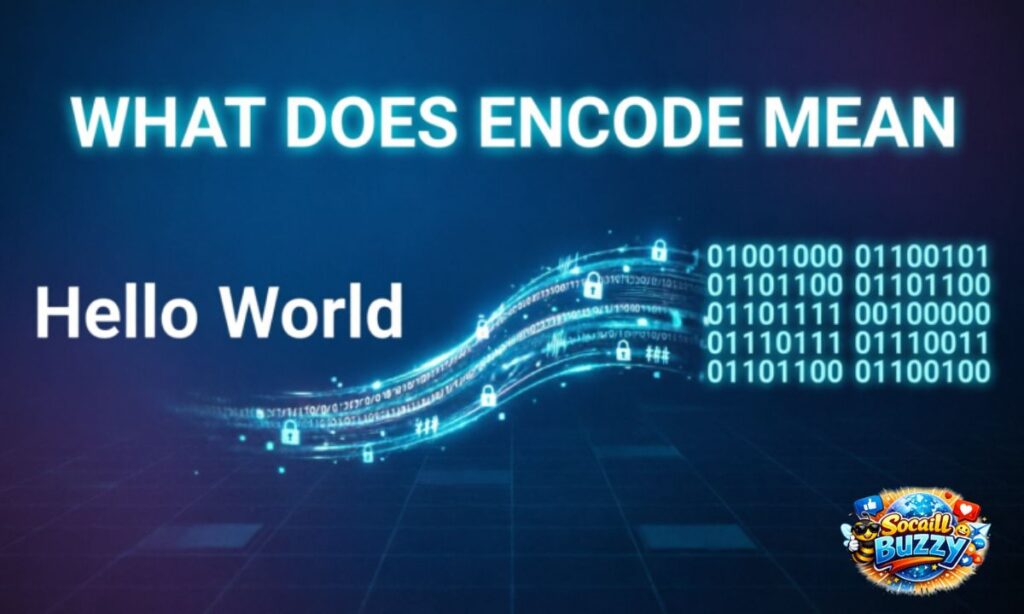
At its core, “encode” means to take information in one form and convert it into another form usually so a machine, system, or person can read, store, or transmit it correctly.
The prefix “en-” means “to put into,” and “code” refers to a system of symbols or rules. Put them together, and “encode” literally means “to put into code.”
Encode Definition in Computer Science
In computer science, encoding is the process of transforming data (like text, images, or sound) into a format that a computer or network can process. This might mean:
- Converting characters into binary numbers
- Compressing a video file for streaming
- Formatting text so it can travel safely through a URL
Without encoding, computers wouldn’t be able to interpret human-created content like documents, images, or messages.
Meaning in English (Simple Explanation)
Outside of tech, “encode” simply means to change information into a different form, often to make it more compact, secure, or transferable. If you take a spoken idea and write it down in shorthand, you’re technically encoding it. If a teacher gives students a color-coded system to organize notes, that’s encoding too.
Click Here To Read More…
What Does Encode Mean in Real Life?
Encoding isn’t just a programmer’s term it happens around you constantly, often without you noticing.
Everyday Encoding Examples
- Traffic lights: Colors encode meaning (red = stop, green = go)
- Morse code: Letters are encoded as dots and dashes
- Braille: Text is encoded into raised dots for touch reading
- QR codes: A website link is encoded into a scannable pattern
- Sheet music: Sound is encoded into written notation
Example Sentences
- The app will automatically encode your file before uploading it.
- Researchers study how the brain encodes memories.
- Developers must encode special characters in a URL.
- The video platform encodes every upload into multiple resolutions.
Types of Encoding (Essential Knowledge)
Encoding isn’t one single process it changes depending on what you’re converting and why.
Main Types of Encoding
Character Encoding
Converts letters, numbers, and symbols into a format computers can store and display, such as ASCII or UTF-8.
Binary Encoding
Converts data into sequences of 0s and 1s the fundamental language of computer hardware.
URL Encoding
Converts special characters (like spaces or symbols) into a format safe for use in web addresses, using formats like %20 for a space.
Audio/Video Encoding
Compresses and formats media files so they can be streamed or stored efficiently, using codecs like MP4 or MP3.
| Encoding Type | Purpose | Common Example |
| Character Encoding | Represent text digitally | UTF-8, ASCII |
| Binary Encoding | Store/process raw data | 0s and 1s |
| URL Encoding | Make web links safe | %20 for spaces |
| Audio/Video Encoding | Compress media | MP4, MP3, H.264 |
What Is Incode? (Honest Reality Check)
Let’s be direct: “incode” is not a recognized word in standard English dictionaries. It doesn’t appear in major style guides, and it’s absent from formal technical documentation.
Incode Meaning
When people search for “incode meaning,” they’re typically doing one of two things:
- Trying to type “encode” and making a spelling slip
- Referring to the UK postcode system, where the “incode” is the part after the space (for example, in “SW1A 1AA,” the incode is “1AA”)
Outside of that postal context, “incode” carries no independent, dictionary-recognized meaning.
Is Incode a Real Word?
Not in general English or technical writing. It doesn’t appear in Merriam-Webster, Oxford, or Cambridge dictionaries as a standalone verb. The only legitimate technical use is the UK postcode reference mentioned above everywhere else, it’s a typo.
Why Do People Confuse Encode vs Incode?
This mix-up is more common than you’d expect, and there are clear reasons behind it.
Common Causes
- Similar sound: “En-” and “in-” prefixes sound nearly identical when spoken quickly
- Autocorrect errors: Mobile keyboards sometimes suggest incorrect completions
- Prefix confusion: English has many words that start with “in-” (input, internal, integrate), so writers instinctively apply that pattern
- Non-native English speakers: Learners sometimes assume both prefixes are interchangeable
- Fast typing: Simple typos happen, especially in technical writing done under time pressure
Encode vs Incode Difference (Side-by-Side Breakdown)
| Feature | Encode | Incode |
| Standard English word | Yes | No (except UK postcode term) |
| Used in programming | Yes, extensively | No |
| Dictionary recognized | Yes | Not as a verb |
| Common usage | Data conversion, tech, communication | Rare, mostly a typo |
| Grammatically correct verb | Yes | No |
Encode vs Incode Grammar (Why Only One Works)
Grammar Role
“Encode” functions as a verb (and can form nouns/adjectives like “encoding” and “encoded”). It follows standard English verb conjugation: encode, encodes, encoded, encoding.
“Incode” has no established grammatical role as a verb in standard English, which is another reason it fails in formal or technical writing.
Examples
- ✅ “Please encode the message before sending it.”
- ❌ “Please incode the message before sending it.”
- ✅ “The data was encoded successfully.”
- ❌ “The data was incoded successfully.”
How to Use Encode Correctly in Writing
Basic Patterns
- Encode + object: “Encode the file.”
- Be + encoded: “The password is encoded.”
- Encoding + noun: “Encoding standards vary by platform.”
Examples
- The system will encode every transaction for security.
- She learned how to encode and decode simple ciphers.
- This tool encodes images into Base64 format automatically.
Can You Use Incode in Any Context?
Practically speaking, no not if you’re aiming for correct, professional writing.
Incorrect Usage
- “We need to incode this file before uploading.”
- “The app failed to incode the data properly.”
Correct Version
- “We need to encode this file before uploading.”
- “The app failed to encode the data properly.”
The only exception remains the UK postcode “incode,” which is a noun, not a verb, and has nothing to do with data conversion.
Encoding in Programming (Deep Explanation)
In software development, encoding is a foundational concept. Every time you save a file, load a webpage, or send a message, encoding is working behind the scenes.
Why Encoding Is Necessary
- Compatibility: Different systems and devices need a shared format to exchange data correctly
- Storage efficiency: Encoded data often takes up less space
- Safe transmission: Some characters can break URLs or file formats unless properly encoded
- Cross-platform support: Encoding ensures text displays correctly across operating systems and languages
Data Encoding Techniques (Technical Detail)
Common Methods
Binary Encoding
Represents data using combinations of 0s and 1s, forming the base layer of all digital information.
Base64 Encoding
Converts binary data into readable ASCII text, commonly used for embedding images or files inside emails and web pages.
UTF-8 Encoding
A widely used character encoding standard that supports virtually every language and symbol, making it the backbone of modern web text.
| Technique | Best Used For |
| Binary Encoding | Core machine-level data storage |
| Base64 Encoding | Embedding files in text-based formats |
| UTF-8 Encoding | Displaying multilingual text on the web |
Character Encoding Examples
- ASCII: Encodes basic English letters, numbers, and symbols using 7 bits
- UTF-8: Encodes almost every language and emoji used online today
- UTF-16: Common in some operating systems and older software for wider character support
Binary Encoding Explained Simply
Imagine every letter, image, or sound reduced to a long string of 0s and 1s. That’s binary encoding. Computers don’t understand words or pictures directly; they understand electrical states, “on” or “off,” represented as 1 or 0.
Encoding is the translator that turns human-readable content into this machine language, and decoding reverses the process when you view the result.
Encode vs Encrypt vs Decode (Important Distinction)
These three terms are often confused, but they serve very different purposes.
Clear Comparison
| Term | Purpose | Reversible Without a Key? |
| Encode | Convert format for compatibility | Yes |
| Encrypt | Convert format for security | No (requires a key) |
| Decode | Reverse encoding back to original form | Yes |
Encoding is about compatibility, not secrecy. Anyone with the right decoder can read encoded data. Encryption, by contrast, is specifically designed to hide information from unauthorized users.
Text Encoding vs Encryption
Encoding
Encoding organizes and formats data so systems can read and process it correctly. It’s not meant to protect privacy, it’s meant to ensure functionality.
Encryption
Encryption scrambles data intentionally, making it unreadable without a decryption key. Its primary goal is security, not compatibility.
Impact of the Mistake
Scenario
A content writer publishes a technical blog post explaining how websites handle special characters in links, but repeatedly uses “incode” instead of “encode.”
What Happens
Readers, especially developers and technical professionals, notice the error immediately. It undermines the article’s credibility, may confuse beginners, and can hurt the site’s authority in the eyes of both readers and search engines.
Correct Version
The writer revises the article, replacing every instance of “incode” with “encode,” aligning the content with standard technical terminology.
Result
The article reads professionally, builds trust with technical readers, and performs better because it matches how real developers and dictionaries use the term.
Common Mistakes to Avoid
Using “Incode” Instead of Encode
The most frequent error. Always double-check before publishing or submitting technical content.
Confusing Encode with Encrypt
Remember: encoding is about format and compatibility; encryption is about security and privacy.
Ignoring Context
Not every “coded” reference means the same thing. Check whether you’re discussing data formatting, security, or something else entirely before choosing your words.
Why Encode Is the Correct Word
“Encode” is recognized by every major English dictionary, used consistently across technical documentation, and grammatically functions as a proper verb. It has clear rules for conjugation and a well-established meaning across computer science, linguistics, and everyday communication. “Incode” simply doesn’t meet any of these standards outside of its narrow postal usage.
Context Matters: Where Encode Is Used
Computer Science
Used constantly for data formatting, character sets, compression, and file conversion.
Web Development
Essential for URL encoding, handling special characters, and ensuring text displays correctly across browsers.
Digital Communication
Powers everything from text messaging to video calls, where information must be formatted for transmission and later decoded by the receiving device.
Encoding Examples in Real Life
- Streaming platforms encode videos into multiple resolutions for different internet speeds
- Messaging apps encode emojis and special characters so they display correctly on any device
- Websites encode form data before submitting it to a server
- Barcodes encode product information into scannable lines
Quick Practice (Lock It In)
Fill in the Blank
- The system needs to _______ the data before saving it. (encode)
- Developers often _______ special characters in a URL. (encode)
Fix the Sentence
- ❌ “Please incode this message.” → ✅ “Please encode this message.”
- ❌ “The file was incoded incorrectly.” → ✅ “The file was encoded incorrectly.”
Key Takeaways (Simple and Clear)
- Encode is the correct, dictionary-recognized word
- Incode is almost always a spelling mistake, except in the UK postcode context
- Encoding means converting data into a format for storage, compatibility, or transmission
- Encoding is different from encryption one focuses on format, the other on security
- Always double-check spelling in technical or professional writing to maintain credibility
Frequently Asked Questions
What do you mean by encode?
Encode means to convert information, such as text, audio, or data, into a specific format so it can be stored, processed, or transmitted correctly.
What is the meaning of incode?
Incode is not a standard English word; it’s almost always a misspelling of “encode,” except when referring to the second half of a UK postcode.
Are encode and code the same thing?
Not exactly “code” refers to the system or set of rules itself, while “encode” refers to the action of converting information using that system.
What is the opposite of encode?
The opposite of encode is decode, which means converting encoded data back into its original, readable form.
Final Thoughts
The encode vs incode debate has a clear, confident answer: always use encode. It’s the dictionary-approved, grammatically correct, and universally understood term across technology, communication, and everyday English. “Incode” simply isn’t built to carry that meaning outside of a narrow postal reference, it’s a spelling slip waiting to be corrected.
The next time your fingers hesitate between the two, remember the simple logic: “en-” means “to put into,” and encoding is exactly that putting information into a code your system, your reader, or your device can understand. Stick with encode, and your writing will always stay accurate, professional, and clear.

Welcome to SocaillBuzzy! I’m the creator and writer behind this platform, dedicated to sharing meaningful content including grammar, meaning, quotes, and inspirational messages for everyday life. Through well-crafted, SEO-friendly content, I aim to spread positivity, strengthen connections, and make it easier for readers to express their emotions with clarity and warmth.